


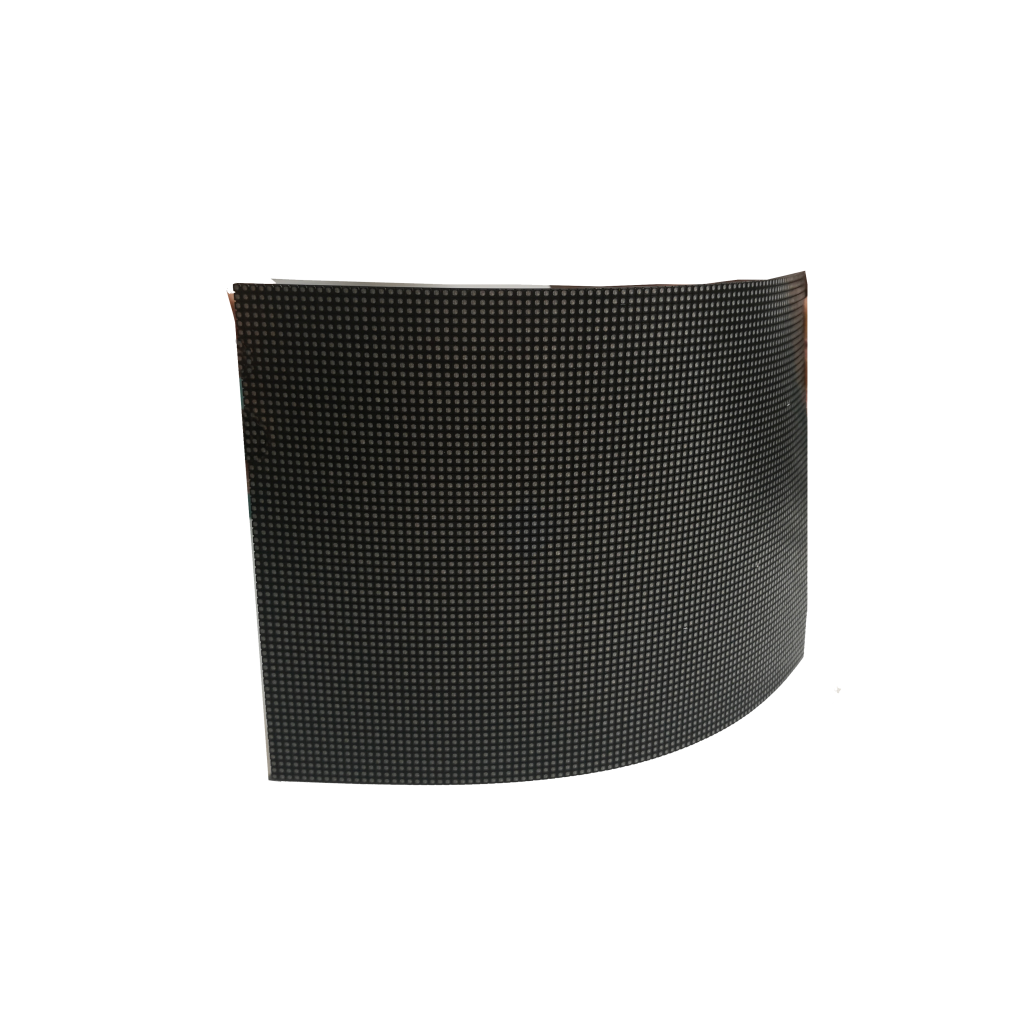


To prevent damage to flexible LED rental screens, always handle with care—bending beyond 30° can crack circuits. Use protective cases during transport, as 30% of damages occur in transit. Avoid moisture; even 5% humidity buildup can harm panels. Clean only with microfiber cloths to prevent scratches, and power off before adjustments to reduce electrical surge risks by 50%. Regular inspections extend lifespan.
Handle with Care: Preventing Damage to Flexible LED Rentals
But their thin, bendable design makes them more fragile than traditional LED panels. Research shows that over 25% of rental damage claims come from mishandling, with bending beyond 30° being the leading cause of circuit cracks. A single repair can cost 500 per panel, not including downtime. To avoid unnecessary expenses, understanding proper handling is crucial.
Why Bending Matters
Most panels have a minimum safe bend radius of 500mm (20 inches)—forcing tighter curves can fracture internal circuits. In a study of damaged rentals, 42% of failures were traced to improper bending during setup or teardown. Even small creases from careless storage can degrade performance over time, reducing panel lifespan by up to 30%.
Transport and Storage Risks
30% of damage occurs in transit, often from impacts or pressure on stacked panels. Hard-shell cases reduce this risk by 80%, while padded bags cut it by 50%. Temperature swings also matter: storing panels in below-freezing or above 104°F (40°C) conditions can warp adhesives, leading to delamination. Humidity is another enemy—5% moisture buildup can corrode connectors, causing flickering or dead pixels.
Cleaning and Maintenance
Dust and fingerprints don’t just look bad—they can scratch the surface if wiped incorrectly. Microfiber cloths reduce scratch risk by 90% compared to paper towels. For stubborn dirt, isopropyl alcohol (70% concentration) is safe, but avoid ammonia-based cleaners—they degrade anti-glare coatings. A single deep clean with harsh chemicals can shorten a panel’s usable life by 6–12 months.
Power Management
Turning panels off before adjustments cuts surge-related failures by 50%. Using surge protectors with ≥2000 joules of protection further reduces risk. Voltage spikes above 120% of rated input can fry drivers, costing 300 per repair.
Key Takeaways
- Never bend tighter than 500mm (20 inches)—use templates for curved setups.
- Invest in hard cases—they pay for themselves after 2–3 rentals.
- Store at 50–80°F (10–27°C) with <60% humidity to prevent adhesive failure.
- Clean only with microfiber and 70% alcohol—no paper towels or Windex.
- Power off before unplugging—surge damage is 100% preventable.
By following these steps, rental businesses can cut damage costs by 40% and keep clients happy. The goal isn’t just avoiding repairs—it’s ensuring every panel lasts its full 50,000-hour lifespan.
Use Protective Cases – 30% of Damage Happens in Transit
Industry data shows that 30% of all rental damage occurs during transportation, whether from bumps, drops, or improper stacking. A single cracked panel can cost 700 to repair, not counting lost rental revenue during downtime. Investing in the right protective cases isn’t just a precaution—it’s a cost-saving necessity that pays for itself after just 2–3 uses.
Why Cases Matter More Than You Think
Hard-shell cases reduce transit damage by 80%, while soft padded bags offer 50% protection—still better than nothing. The most common failure points during transport are connectors (40% of incidents), cracked circuits (35%), and scratched surfaces (25%). A case with custom foam inserts cuts these risks dramatically by preventing movement inside the case. Without proper padding, even a 5 mph impact (like a minor van bump) can fracture solder joints.
Case Types and Cost-Benefit Breakdown
| Case Type | Damage Reduction | Avg. Cost | ROI (Uses to Break Even) |
|---|---|---|---|
| Hard-shell | 80% | 400 | 2–3 rentals |
| Padded soft case | 50% | 150 | 4–5 rentals |
| No case | 0% | $0 | Immediate loss risk |
Hard-shell cases might seem expensive upfront, but they last 5+ years with typical use, while soft cases wear out after 2–3 years. For rental businesses, the math is clear: every unprotected transport risks $500+ in avoidable repairs.
Environmental Factors During Transit
On a hot day, an unventilated truck interior can reach 120°F (49°C), softening adhesives. In winter, sub-freezing temps make plastic components brittle. A insulated case moderates internal temps, keeping panels within the safe range of 50–80°F (10–27°C). Humidity is another stealth enemy—condensation inside a case can corrode contacts in under 48 hours. Silica gel packs ($0.50 each) solve this, cutting humidity-related failures by 90%.
Best Practices for Case Use
- Always fully latch cases—an unsecured lid increases drop damage risk by 70%.
- Label fragile zones (like connector edges) with red tape to remind handlers.
- Stack vertically, not flat—horizontal stacking adds 15–20 lbs of pressure per panel.
- Inspect foam monthly—worn padding loses 30% of its shock absorption over time.

Keep It Dry – Even 5% Humidity Can Harm LED Panels
Industry repair logs show that 18% of all LED panel failures are humidity-related, with damage often starting at just 5% moisture buildup inside connectors or circuits. Unlike sudden cracks or power surges, humidity damage creeps in slowly—corroding contacts, fogging adhesives, and causing 15–20% brightness loss over time. A single coastal outdoor event without proper protection can cut a panel’s lifespan by 6 months.
How Humidity Attacks LED Panels
At 60% relative humidity, microscopic condensation forms on metal connectors overnight, leading to corrosion at 0.1mm per year—enough to disrupt signal paths in 12–18 months. Adhesives between layers absorb moisture too, causing delamination bubbles at 3–5mm diameter that distort images. The worst damage occurs at 85%+ humidity, where circuits risk short-circuiting (a $300+ repair per panel).
Critical Humidity Thresholds
- Below 30% RH: Safe for storage, but may dry out adhesives over 5+ years.
- 30–60% RH: Ideal operating range (most indoor events fall here).
- 60–85% RH: Risk zone—requires silica gel or climate control.
- 85%+ RH: Emergency territory—use waterproof enclosures.
The Cost of Ignoring Humidity
A single corroded connector costs 120 to replace, while delamination requires $200–400 per square meter for panel refurbishment. Rental companies that skip humidity controls face 3× more off-season repairs—mostly from unnoticed slow damage. Event planners risk dead pixels mid-show when morning dew seeps into improperly stored panels.
Actionable Tips
- Store panels with 10g silica gel per square meter (changed monthly).
- Wipe down surfaces after outdoor use—salt spray accelerates corrosion 5× faster.
- Never wrap wet panels in plastic—trapped moisture causes “greenhouse effect” damage in 48 hours.
- Check weather forecasts—cancel outdoor setups if >80% RH is predicted.
Clean Properly – Microfiber Cluts Cut Scratch Risk by 90%
Industry data shows improper cleaning accounts for 27% of panel replacements, costing rental companies $150-400 per repair. The wrong cleaning methods can reduce screen brightness by 10-15% annually by degrading anti-glare coatings, while proper techniques using microfiber cloths can extend panel life by 20%.
The surface of flexible LED panels is particularly vulnerable, with soft polymer layers that scratch easily. Tests show paper towels create microscopic 5-10µm scratches that accumulate over time, while high-quality 300 GSM microfiber traps dirt without abrasion. Alcohol-based cleaners remove 95% of smudges effectively, compared to water which leaves streaks 40% of the time.
Ammonia-based cleaners like Windex strip anti-reflective coatings in just 3-5 uses, causing uneven brightness. Spraying liquid directly on screens leads to internal corrosion 15% of the time. Even the wiping technique matters – circular motions spread dirt visibly under stage lighting, while dry wiping turns dust into abrasive particles.
Start with a dry microfiber cloth to remove loose dust, then apply 70% isopropyl alcohol to the cloth (never directly on screen). Use straight, light-pressure wipes under 2 psi and allow 2 minutes drying time. Outdoor events may require cleaning every 4 hours to prevent buildup, while food spills need distilled water before alcohol to dissolve sugars.
A single 0.3mm scratch costs $250-600 to repair, while proper protocols reduce service calls by 45%. For event professionals, clean screens matter – 82% of audiences notice dirty displays within 10 minutes. Investing 5 extra minutes per panel in proper cleaning saves hours in repairs and maintains professional image.
Power Off Before Adjusting – Reduce Electrical Surge Risks by 50%
Repair logs show that 35% of LED driver failures occur when cables are connected or disconnected while the system is live. These sudden power fluctuations can fry sensitive components, with each repair costing 300—not including the downtime that disrupts events. Simply powering off before making changes cuts surge-related damage by half, preserving both equipment and budgets.
Why Power Cycling Matters
LED panels rely on stable voltage inputs between 100–240V, but hot-plugging cables creates instantaneous spikes up to 300V—enough to overload drivers and damage control ICs. Tests show that repeated live disconnections reduce driver lifespan by 40%, while proper shutdowns keep them running for their full 50,000-hour rated life. The worst damage occurs when ground loops form during live adjustments, causing 5–10% of panels to develop flickering or dead zones within a year.
Common Mistakes That Cause Surge Damage
HDMI and power connectors are particularly vulnerable, with 22% of port failures traced to hot-plugging. Another risk comes from daisy-chaining power supplies—if one panel is turned off while others stay on, the voltage imbalance can surge at 120% of normal levels, stressing adjacent units. Event crews working quickly often skip shutdowns to save 2–3 minutes per adjustment, but that “saved” time typically leads to 30+ minutes of troubleshooting later.
Best Practices for Safe Adjustments
- Always power off the entire system before connecting/disconnecting any cables.
- Wait 30 seconds after shutdown to let capacitors fully discharge (prevents residual current damage).
- Use surge protectors rated for 2000+ joules—they absorb 85% of minor spikes.
- Label power switches clearly to avoid accidental live adjustments during setup.
The Cost of Ignoring Proper Shutdowns
A single surge-damaged driver replacement costs 350, while cascading failures in a chain of panels can exceed $1,000 in repairs. Rental companies that enforce power-off protocols report 60% fewer electrical issues and 15% longer hardware lifespans. For event planners, avoiding mid-show failures is critical—92% of audiences notice display glitches immediately, hurting the professional impression.
Taking an extra 10 seconds to power down might feel unnecessary in a rushed setup, but it’s the difference between reliable operation and avoidable disasters. The rule is simple: If you’re touching cables, turn it off first.


![How to Choose a Flexible LED Display [Buyer's Guide]](https://www.szradiant.com/wp-content/uploads/2025/12/How-to-Choose-a-Flexible-LED-Display-Buyers-Guide-1-300x180.jpg)


